
Welcome back to AI Tools Smart Hub. If 2025 was the year of AI images, 2026 is undeniably the year of AI video.
We all remember the shockwave when OpenAI first teased Sora. It felt like science fiction. But fast forward to today, and creating high-definition, cinematic video from a simple text prompt isn’t just possible—it’s accessible to everyone.
Whether you are a YouTuber needing B-roll, a marketer creating ads, or just a creative soul wanting to visualize your dreams, you no longer need a Hollywood budget. You just need the right tool.
I have tested dozens of platforms to bring you the definitive list of the 5 best AI video generators in 2026 that offer free trials or generous freemium plans.
1. Runway (Gen-4.5 Alpha)
The Filmmaker’s Choice.
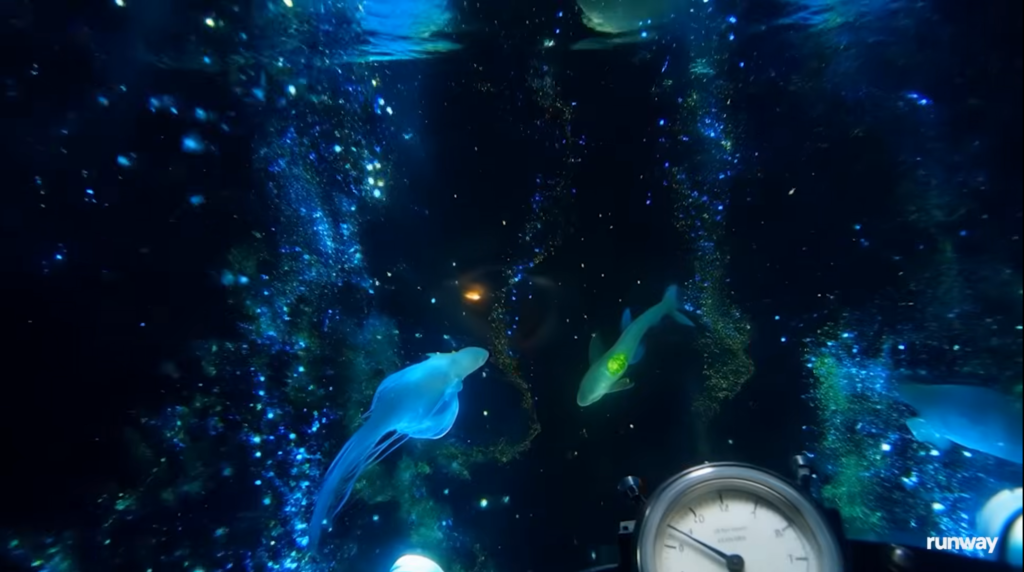
Runway has been leading the charge since the beginning. With the release of Gen-4.5 Alpha, they have solidified their place as the tool for “prosumer” creators. It offers the most granular control over camera movement and motion, making it feel less like a slot machine and more like a director’s chair.
Key Features
- Motion Brush: Paint over specific areas of an image (like clouds or water) to control exactly what moves.
- Camera Controls: Define zoom, pan, and tilt directions using precise sliders.
- Style Presets: Instantly switch between “Cinematic,” “Anime,” or “Claymation” styles.
Pros & Cons
| Pros | Cons |
| Incredible control over video physics. | The interface can be complex for total beginners. |
| High-resolution, consistency output. | Free credits are limited and replenish slowly. |
Pricing: Generous free trial with non-renewable credits. Plans start around $12/month.
2. Luma Dream Machine
The King of Realism.
Luma AI burst onto the scene with “Dream Machine,” and it lives up to the name. It excels at understanding physics and real-world interactions. If you type “a car driving through a puddle,” Luma nails the reflection and the splash better than almost anyone else.
Key Features
- Start with Image: Upload a static photo and animate the first and last frame to create a perfect transition.
- Fast Generation: Despite the high quality, Luma is surprisingly fast, generating 5-second clips in under 2 minutes.
- Character Consistency: Better than average at keeping a character’s face the same across different shots.
Pros & Cons
| Pros | Cons |
| Stunning photorealism. | Camera controls are less detailed than Runway. |
| Very simple, clean web interface. | Sometimes struggles with complex, surreal prompts. |
Pricing: Free tier allows for about 30 generations per month (reset daily/monthly depending on current promo).
3. Kling AI
The Long-Form Powerhouse.
Coming out of China, Kling AI shocked the market by offering video generations that were longer (up to 10 seconds) and smoother than its Western competitors. In 2026, it remains a top contender for those who need longer clips without awkward cuts.
Key Features
- 1080p Resolution: Generates high-definition video by default.
- Long Duration: Capable of generating up to 10 seconds (or extending clips) while maintaining coherence.
- Complex Motion: Handles full-body human movement (like dancing or running) exceptionally well.
Pros & Cons
| Pros | Cons |
| Best-in-class motion fluidity. | Server wait times can be long due to high demand. |
| Generates longer clips than most rivals. | The interface English translation can be spotty. |
Pricing: Daily free credits (around 66 credits/day), making it one of the most generous free tools.
4. Pika (Pika Art)
The Fun & Viral Creator.
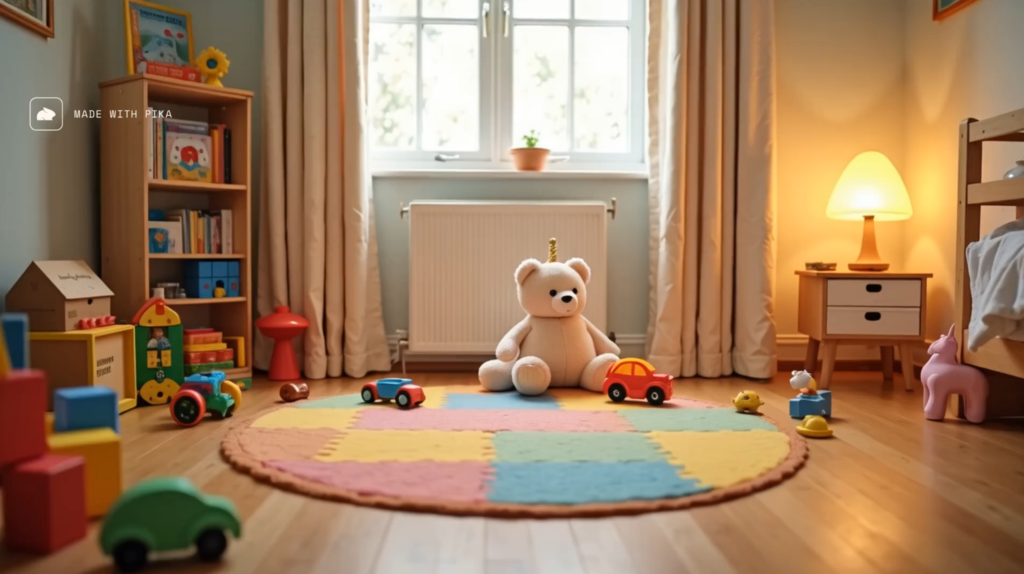
Pika has always focused on ease of use and “fun” features. It’s perfect for social media creators. Pika isn’t just about realism; it’s about modifying videos. Its “Lip Sync” feature allows you to make characters talk, which is a game-changer for meme creators and storytellers.
Key Features
- Lip Sync: Upload audio, and the character in the video will mouth the words perfectly.
- Sound Effects: Pika can automatically generate sound effects (SFX) that match the action in your video.
- Modify Region: Select a cat in a video and type “put sunglasses on it,” and Pika changes just that part.
Pros & Cons
| Pros | Cons |
| Best tools for editing and modifying existing video. | Video quality is sometimes softer/blurrier than Luma. |
| Incredible sound and lip-sync integration. | Watermark is prominent on the free plan. |
Pricing: Freemium model with daily credits via Discord or Web.
5. HeyGen
Best for Business & Talking Heads.
While the others generate cinematic scenes, HeyGen solves a different problem: Video Presenters. If you need to make a training video, a YouTube intro, or a marketing pitch but are camera shy, HeyGen is the best tool in 2026.
Key Features
- Instant Avatar: Create a digital twin of yourself (or use a stock avatar) that speaks naturally.
- Video Translation: Upload a video of you speaking English, and it will translate it to Spanish (or 40+ languages) while changing your lip movements to match.
- URL to Video: Paste a link to an Amazon product, and it generates a promo video automatically.
Pros & Cons
| Pros | Cons |
| Indistinguishable from real human presenters. | Not for creating cinematic/movie scenes. |
| Huge time saver for corporate content. | Free plan is limited to 1 minute of video total. |
Pricing: Free trial (1 credit/minute), then subscription based.
Comparison: Which Tool is Right for You?
| Tool Name | Best For… | Free Tier? | Speed |
| Runway | Filmmakers & Pros | Yes (Limited) | Medium |
| Luma | Realistic Physics | Yes (Monthly) | Fast |
| Kling AI | Long Clips (10s) | Yes (Daily) | Slow |
| Pika | Social Media & Animation | Yes (Daily) | Fast |
| HeyGen | Marketing & Avatars | Trial Only | Instant |
Conclusion
So, where should you start?
- If you want to make a short film with precise control, start with Runway.
- If you want to create funny social media clips with talking characters, go with Pika.
- If you need hyper-realism for a product showcase, Luma Dream Machine is your winner.
The best part? They all have free tiers. So don’t just read about them—go try them out and tell me in the comments which one blew your mind!
Frequently Asked Questions (FAQ)
1. Are AI-generated videos copyright free?
In 2026, the general rule in the US is that you cannot copyright raw AI-generated content. However, most platforms (like Runway and Pika) grant you commercial ownership of the videos you create if you are on a paid plan. Always check the specific “Terms of Service” for each tool.
2. Do I need a powerful computer to use these?
No! All the tools listed above are cloud-based. The heavy processing happens on their servers, not your laptop. You can generate these videos on a Chromebook or even your phone.
3. Can these tools generate sound?
Pika and Kling have integrated sound generation features. For Runway and Luma, you typically get a silent video file and will need to add music or sound effects separately using an editing tool or a separate AI music generator like Suno.