

Is 2026 the year you finally get organized?
If you are a freelancer, agency owner, or project manager, you are likely staring at a messy screen right now. The productivity landscape has shifted. It’s no longer just about “To-Do lists”; it’s about AI Agents and Predictive Workflows.
In 2026, the battle between Notion and Monday.com has evolved. Notion has transformed from a note-taking app into an AI-powered “second brain,” while Monday.com has doubled down on being a rigid, enterprise-grade Work OS.
I’ve tested both extensively. I’ve built complex wikis in Notion and managed high-stakes sprints in Monday. Here is the brutal truth about which one you actually need—and how to skip the headache of setting them up.
⚡ At a Glance: The 2026 Snapshot
If you don’t have time to read the full breakdown, here is the cheat sheet.
| Feature | Notion | Monday.com |
| Best For | Solopreneurs, Content Creators, Knowledge Management | Agile Teams, Agencies, High-Level PMs |
| Philosophy | Blank Canvas: Build your own tools (Lego blocks). | Work OS: Structured, pre-built professional boards. |
| 2026 AI Update | Notion Agents: “Personal assistants” that sort your data. | Sidekick & AI Blocks: Predictive risk analysis for projects. |
| Learning Curve | High (Steep). Requires “building” pages. | Low/Medium. Plug-and-play templates. |
| Pricing | Generous Free Plan. Paid starts ~$10/user. | Strict. Free is limited. Paid starts ~$12/seat (3-seat min). |
| Mobile App | Excellent. Full editing capabilities. | Good. Mostly for checking status/notifications. |
| The Verdict | Winner for Flexibility & Value | Winner for Pure Project Management |
📉 The Deep Dive: Structure vs. Chaos
1. Flexibility vs. Structure: Legos or Pre-Fabs?
The core difference hasn’t changed in 2026; it has only widened.
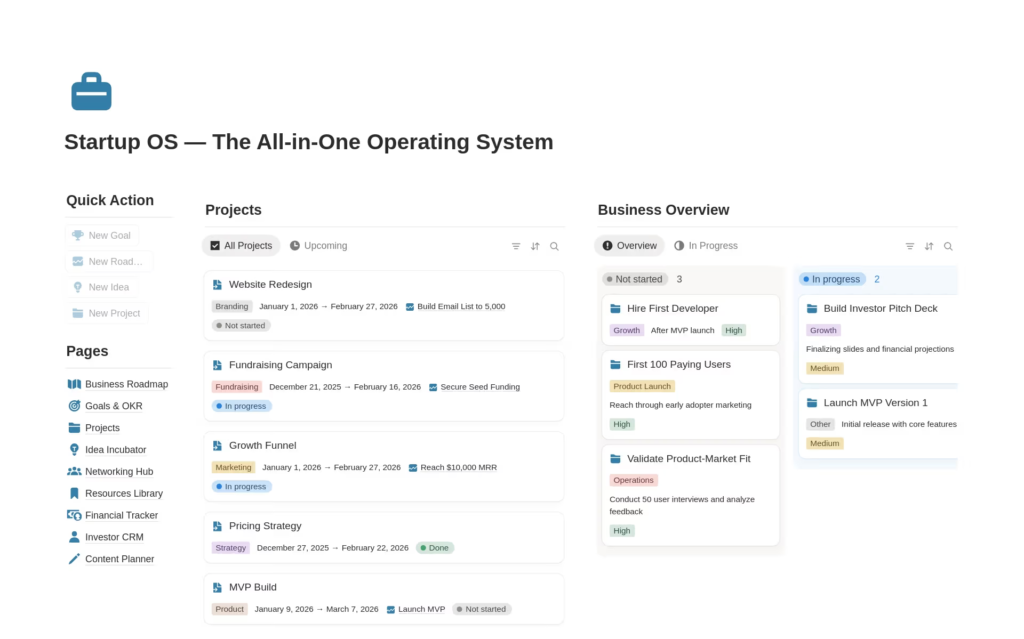
- Notion is a box of Legos. You get a blank page. You can turn that page into a document, a database, a website, or a CRM. It is beautiful, but it creates “Blank Page Paralysis.” You have to design your workflow before you can do your work.
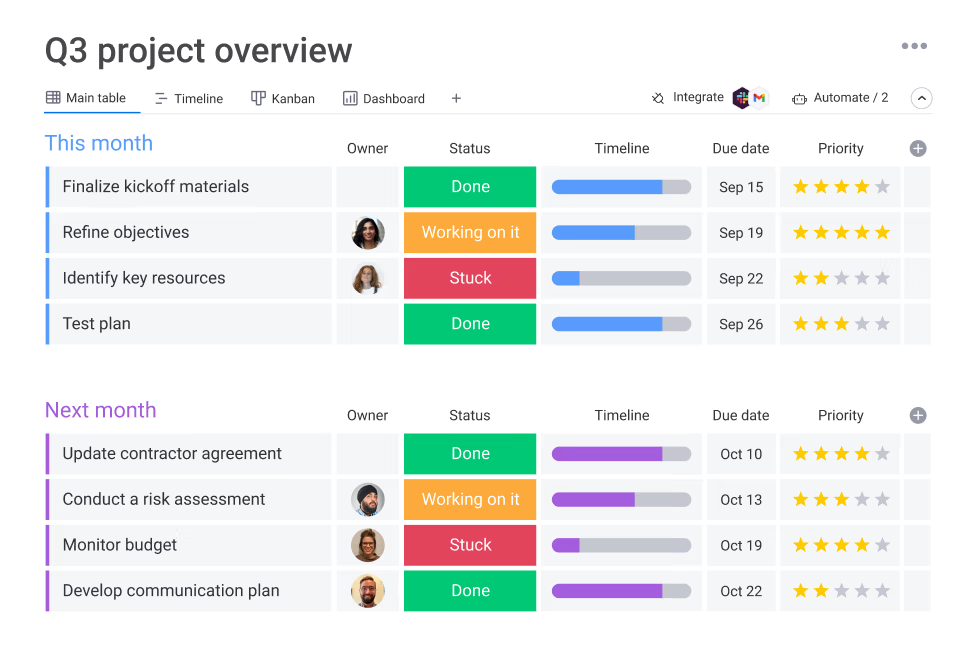
- Monday.com is a pre-fab house. You walk in, the lights work, and the furniture is arranged. You create a “Board,” and it forces you into a structure (Columns, Statuses, Dates). You cannot write a long-form blog post inside a Monday board easily, but you can see exactly where a project stands in seconds.
Pro Tip: If you need to write documentation (SOPs, wikis, blog drafts) alongside your tasks, Notion is the only choice. Monday is terrible for long-form writing.
2. Automation in 2026: Agents vs. Predictors
Both platforms launched massive AI updates this year.
Notion introduced Notion Agents. Think of these as internal interns. You can tell an Agent: “Go through my last 50 meeting notes, find every mention of ‘Q3 Marketing’, and compile them into a new database.” It actually works. It cleans up your mess.
Monday.com introduced Predictive AI Blocks. Monday doesn’t just automate tasks; it analyzes them. In 2026, Monday can flag a project and say: “Based on historical data, this project is 3 weeks behind schedule. Suggest reallocating resources.” It is pure gold for teams managing 50+ active projects.
3. Pricing: The “Solopreneur Tax”
This is where Monday.com hurts the small guy.
- Notion: Free plan is incredible. You can run a whole life on it. The Plus plan is simple (~$10/month).
- Monday.com: The Free plan is a trap (limited to 2 users). The Basic plan is often too simple. To get the “cool” automation features, you need the Pro plan (~$20/month/seat), and they often force a 3-seat minimum. That means you are paying for 3 people even if you are a solo freelancer.
🚀 The “Secret Shortcut” (Don’t Build It Yourself)
Here is the problem 90% of new users face: Notion is too hard to set up.
You watch a YouTube video, get excited, open Notion, and realize you have to spend 40 hours building a “Dashboard” from scratch. You are a business owner, not a database architect.
The Pivot: Don’t build it. Buy it.
There is a massive economy of “Notion Certified Experts” on Fiverr who have already done the heavy lifting.
Instead of wasting two weeks learning how to link databases:
- Go to Fiverr.
- Search for “Notion Business OS” or “Custom Notion Dashboard.”
- Pay an expert $50-$150.
- In 24 hours, they will deliver a fully automated, AI-integrated workspace tailored to your business.
It is the highest ROI move you can make. You get the power of Notion without the learning curve.
🏆 Final Verdict: Who Should Buy What?
Choose Notion if:
- You are a Solopreneur or Content Creator: You need one place for your scripts, invoices, and tasks.
- You love “Tinkering”: You want your dashboard to look aesthetic and function exactly how you want.
- You care about Price: You want a powerful tool that doesn’t force minimum seat counts.
- Next Step: Check out Notion templates on Fiverr to skip the setup phase.
Choose Monday.com if:
- You manage a Team of 5+: You need strict deadlines and resource management (who is overworked?).
- You hate setup: You want to log in and start assigning tasks immediately.
- You need Reporting: You need to show clients or bosses a “Gantt Chart” or “Progress Dashboard” without building it yourself.
The Bottom Line:
For pure project management at scale, Monday.com is the professional choice.
For a flexible “Second Brain” that runs your entire life and business, Notion is the undisputed king of 2026.
Short on time? Get a custom-built Notion workspace from a Fiverr Pro today and skip the learning curve.