

Review Summary:
Runway remains the industry standard for professional AI video control. While Gen-4.5 isn’t the fastest generator on the market, its “Director Mode” and “Motion Brush” features make it the only real choice for serious filmmakers who need precision over randomness.
If you have been following the AI video space, you know that Runway is the OG.
While tools like Pika and Luma Dream Machine are fighting for the “viral social media” crowd, Runway has been quietly building tools for actual filmmakers. With the recent update to Gen-4.5, they promise even better physics, consistency, and higher resolution.
But with a credit-based pricing model that can get expensive quickly, the big question is: Is it actually worth your money in 2026?
I tested the paid plan for a week, and here is my honest verdict.
What is New in Gen-4.5?
The jump from Gen-3 to Gen-4.5 isn’t just about pixel count; it’s about control.
In the past, typing “a car driving down a street” was a gamble. You might get a red car, a blue car, or a car flying in the sky.
With Gen-4.5, Runway has doubled down on controllability:
- Motion Brush 2.0: You can highlight a cloud and tell it to move “Left”, while highlighting a tree and telling it to stay “Still”. This granular control is a game-changer.
- Camera Director: You can now set specific camera movements (e.g., “Zoom In 2x” + “Pan Right”) using simple sliders, rather than guessing with text prompts.
- 10-Second Extensions: You can now reliably extend clips up to 40 seconds without the character morphing into a completely different person.

The Good (Pros) ✅
- Best-in-Class Controls: No other tool gives you this many sliders and brushes to direct the scene. It feels like editing software, not a slot machine.
- High Resolution: The output is sharp, often usable for 1080p YouTube projects without needing an upscaler.
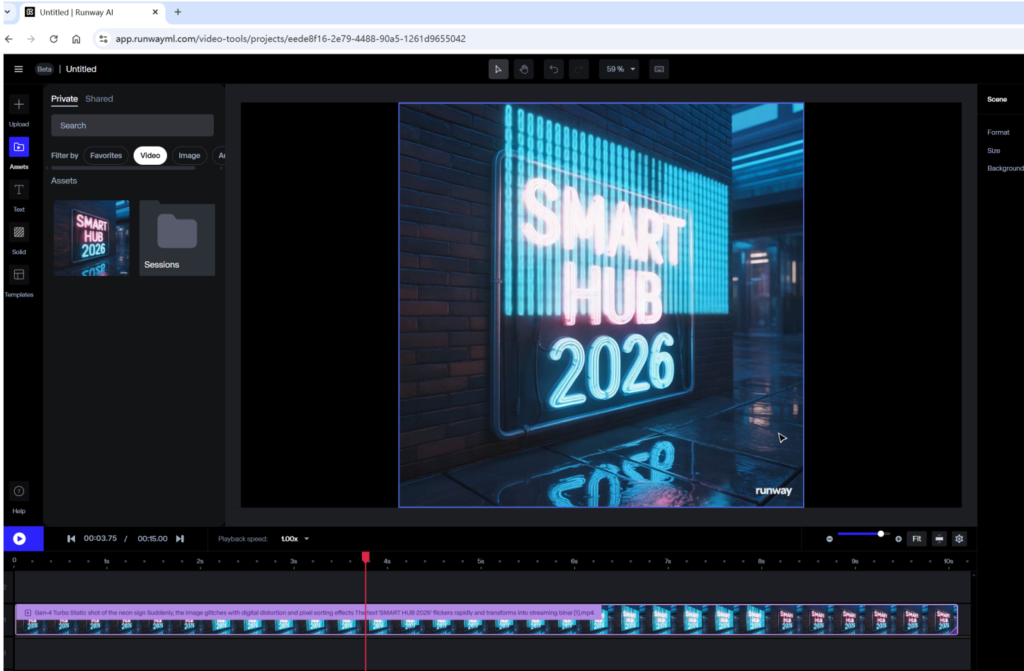
- Web-Based Editor: You don’t just generate video; you can edit, cut, and slow-mo clips directly in their browser editor.
The Bad (Cons) ❌
- It’s Expensive: The Standard Plan ($15/month) gives you about 625 credits per month. A high-res, 5-second generation can eat up 10-20 credits easily. You will burn through them fast.
- Learning Curve: Because there are so many buttons (Motion Brush, Camera Control, Seed), it’s not as “plug-and-play” as Pika.
- Render Times: Quality takes time. Generating a complex Gen-4.5 clip can take 2-5 minutes during peak hours.
Who Is This For?
- You SHOULD buy this if: You are a video editor, YouTuber, or filmmaker who needs specific shots (e.g., “I need a drone shot of a forest for my intro”).
- You should SKIP this if: You just want to make funny memes for TikTok. Go use Pika or Kling for that; they are faster and cheaper.

Conclusion
Runway Gen-4.5 is not a toy. It is a creative suite.
If you are serious about incorporating AI video into your workflow, the $15/month is a justifiable business expense. The “Motion Brush” feature alone saves hours of trying to re-roll prompts.
My Rating: ⭐⭐⭐⭐½ (4.5/5)
(Ready to try it? You can start with the free trial which gives you about 105 credits to test the waters.)